iPhone users can now enable our Safari cashback reminder. Find out here how to set up this handy feature on your iOS device.
- Download the latest version of the Rabattcorner app from the App Store on your iOS device.
- Open your Safari browser and go to an online store of your choice
- Click the icon to the left of the web address
- Then click on "Manage Extensions" and toggle the switch next to "Rabattcorner"
- You will then see a confirmation message. The next time you visit one of our partner stores, you'll see the cashback notice at the top of the page.
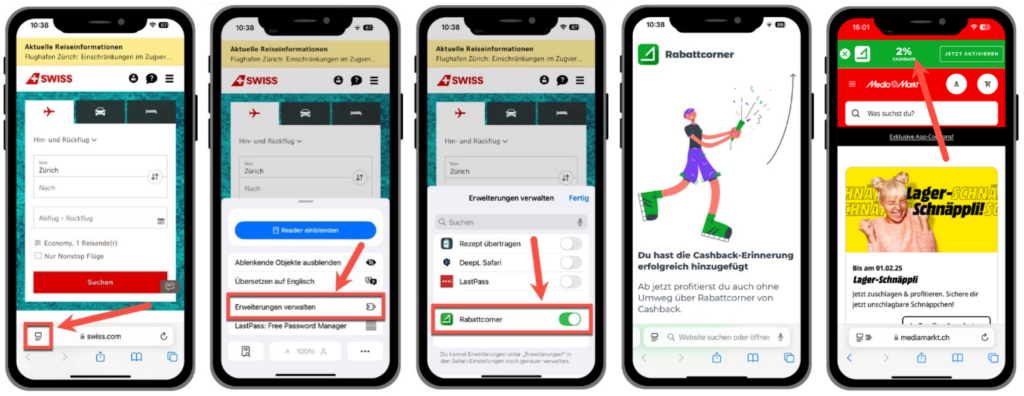
- The next time you visit a Rabattcorner partner store, the extension will remind you to enable cashback. That way, you'll never miss out on cashback again!
- The cashback reminder only checks whether the URL you're currently on matches one of our partners. The reminder does not read or store your data or your browsing history.